Your choice depends on your experience, budget and project type. Free options are perfect for beginners, while paid software offers more advanced features for complex projects.
What free software can you use for model making?
There are several excellent free software solutions available for model building. Fusion 360 offers a free version for hobbyists with professional CAD features, while Tinkercad is perfect for beginners thanks to its intuitive interface.
Fusion 360 Personal is free for non-commercial use and includes all the key features for creating detailed model-making designs. You can use it to create 3D models, generate technical drawings and even run simulations. The program supports various file formats and has an active community.
Tinkercad works entirely in your browser and requires no installation. It uses a block-based approach that lets you quickly build 3D models. For children and beginners, this is often the best place to start.
FreeCAD is an open-source alternative that is especially suitable for technical designs. It has a steeper learning curve but offers plenty of flexibility. SketchUp Free also works in your browser and is user-friendly for architectural models and simple shapes.
Blender is also worth mentioning as a powerful free option, although it was originally developed for animation and rendering. It can be very useful for organic shapes and creative model-making projects.
What is the difference between CAD software and 3D modeling software for model making?
CAD software (Computer-Aided Design) focuses on technical precision and measurable designs, while 3D modeling software offers more freedom for creative design. CAD is ideal for functional parts, while 3D modeling is suited to visual and artistic elements.
CAD programs such as Fusion 360 and SolidWorks work with exact dimensions and technical specifications. You define each component with precise measurements and can generate technical drawings. This software also calculates material usage and can run simulations to test strength and functionality.
3D modeling software such as Blender or Maya focuses on form and appearance. You sculpt and model more intuitively, much like working with digital clay. These programs excel at creating organic shapes, characters, and visually appealing models.
For model making, you often combine both approaches. Start with CAD for the technical foundation and structural elements. Use 3D modeling for decorative details and organic shapes. Many modern programs, such as Fusion 360, combine both capabilities.
The choice depends on your project. Are you building a functional aircraft model? Then CAD is the right choice. Are you making a fantasy figure or landscape? Then 3D modeling is a better fit.
How do you choose the right software for your model-making project?
Choose the right software by weighing your project type, experience level and budget. Beginners are best off starting with user-friendly free options, while experienced model builders can benefit from advanced paid software with more features.
For aircraft and vehicle models, choose CAD software for its technical precision. Fusion 360 or FreeCAD are excellent choices. SketchUp is best for architectural models because it focuses on buildings and structures.
Your experience level largely determines which software you can use. Tinkercad is perfect for children and complete beginners. Fusion 360 takes more time to learn but offers professional capabilities. SolidWorks has a steep learning curve but is an industry standard.
Think about your end result, too. Do you want to 3D print? Make sure your software can export STL files. Need technical drawings? Choose CAD software. For visualizations and renders, programs with good rendering engines are important.
Always try the free versions or trials before investing in paid software. Many programs offer student versions or hobby licenses at a lower cost.


Which paid software is worth the investment for serious model builders?
SolidWorks and Rhino 3D are the most worthwhile investments for serious model builders. SolidWorks offers industrial CAD functionality for €4000-6000 per year, while Rhino 3D offers excellent 3D modeling capabilities for a one-time payment of around €1000.
SolidWorks is the gold standard for mechanical design and technical model building. It offers advanced simulation capabilities, assembly management and professional drawings. For complex aircraft or vehicle models, it is unparalleled, but its high cost makes it worthwhile only for professional applications.
Rhino 3D combines CAD precision with creative freedom. It is popular among architects and industrial designers. For about €1000, you get a lifetime license, making it much more accessible than SolidWorks.
Fusion 360 Pro costs about €500 per year and offers a good balance between functionality and price. You get cloud storage, advanced simulations, and CAM functionality for CNC machining.
Switching to paid software is worthwhile when free options limit you in terms of complexity or functionality. If you regularly need technical drawings, manage assemblies or want to run professional simulations, the extra features justify the investment.
Where can you find the best model-making software and materials?
You can download the best model-making software directly from the official websites of developers such as Autodesk, Dassault Systèmes or Blender Foundation. For physical model-making materials and kits, specialist online stores aimed at hobbyists and model makers offer the widest selection.
When installing software, always start with the free versions to experiment. Autodesk offers Fusion 360 free for hobbyists, and Tinkercad works directly in your browser. You can download Blender for free from blender.org. Always check whether your computer meets the system requirements before installing.
Many software programs have extensive tutorials and documentation. YouTube has thousands of free lessons for every program. The official websites often offer getting-started guides and sample projects to help you get up to speed quickly.
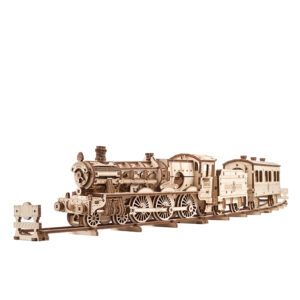
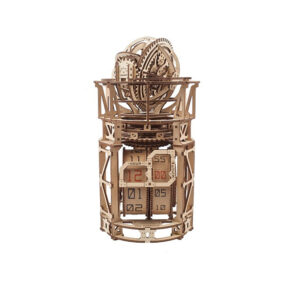
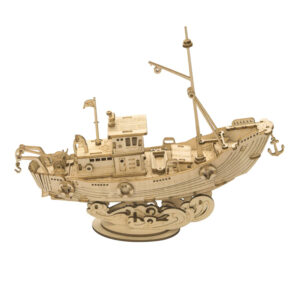
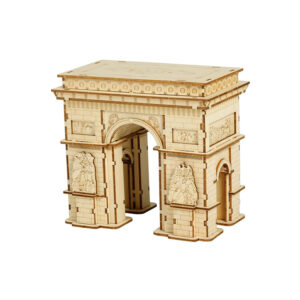
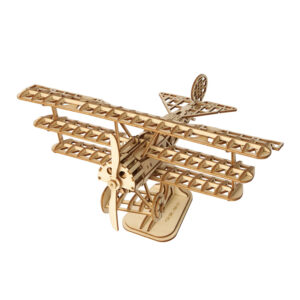
When you want to turn your digital designs into physical models, you need high-quality materials. We have an extensive range of model kits for different skill levels and interests. From beginner sets to advanced projects, you’ll find everything you need for your next model-building adventure.
Our selection includes various categories such as airplanes, cars, ships and architecture. All kits come with clear instructions and are suitable for different age groups. We look for the best possible price for each product, so even if you order just one kit, you’ll get a great price.
Combining digital design with hands-on building gives you the complete model-making experience. Software helps you plan and visualize, while real kits provide the tactile satisfaction of building something yourself.
Frequently Asked Questions
How long does it take to learn a CAD program such as Fusion 360?
You can expect to spend 2-4 weeks learning the basics of Fusion 360 with regular practice. The learning curve depends on your prior knowledge and the complexity of your projects. Start with simple shapes and gradually move on to more advanced features such as assemblies and simulations.
Can I 3D-print my digital designs directly?
Yes, but your design must be “printable.” Make sure the walls are thick enough (at least 1–2 mm), avoid unsupported overhangs, and export it in STL format. Most CAD programs have built-in tools to check printability before you send the file to your 3D printer.
What should I do if my computer gets too slow while I'm modeling?
Reduce the complexity of your model by turning off details, work at a lower resolution while designing, and close other programs. For demanding projects, consider cloud-based software such as Fusion 360, which moves the computing workload to remote servers and takes the strain off your computer.
How can I prevent my models from becoming too complicated for beginners?
Always start with the basic shape and add details step by step. Use modular designs that break complex parts down into smaller, manageable pieces. Create a simple version of your model first before adding advanced features.
Which file formats should I use for different purposes?
For 3D printing, use STL or OBJ; for technical drawings, use PDF or DWG; and to share editable designs, use your software's native format (such as .f3d for Fusion 360). Always save your original project files so you can make changes later.
Is it possible to exchange designs between different software programs?
Yes, but with limitations. Use universal formats such as STEP, IGES or STL to exchange files between programs. Keep in mind that complex features such as parametric history are often lost during conversion. Always test your exported files in the target program.
When should I switch from free to paid software?
Consider paid software when you regularly run into limitations in functionality, file size, or export options. If you need professional drawings, want to run advanced simulations, or do commercial work, the extra features justify the investment.